Key Takeaways
- Gateway API keys belong on your backend servers and secret stores — never in Android APKs, never in client-side JavaScript, and never pasted into the handset SMS app.
- An android phone as sms gateway sends through operator airtime on a paired device; authentication to the SMS Gateway service is a server-to-server concern your integration layer owns.
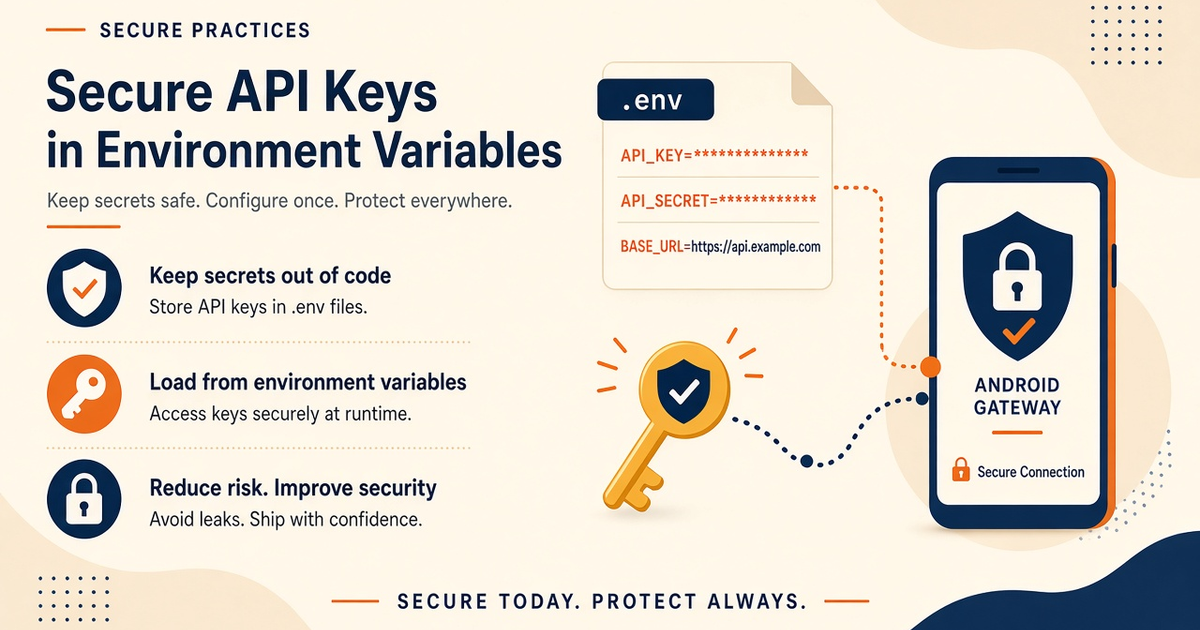
- Use environment variables or a managed secret manager for production keys; .env files stay out of git, and example repos ship .env.example with placeholders only.
- Scope keys to the minimum device and message permissions your workload needs — OTP flows differ from bulk campaign workers; rotate after staff departures or suspected leaks.
- Scheduled sends and cron jobs read credentials from the same secure env layer as interactive API calls — see scheduled SMS features once keys are wired correctly.
- Priced by devices and SMS send volume. You use your own phone and operator SMS credit. Service pricing is based on device count and total SMS sent through the gateway. Securing keys does not replace operator SMS credit — both must be funded separately.
- Log request IDs and HTTP status, not Authorization headers; one grep of a log bucket should never expose a live bearer token.
If the API key can ride in an APK, a screenshot, or a chat paste, it is already in the wrong plane. Rotate it.
Teams new to an android phone as sms gateway often ask where to paste the API key — on the phone, in the Android project, or in the CRM workflow JSON. The correct answer is uniform: platform credentials live on servers you control, loaded from environment variables or a secret manager, never hardcoded in source, and never embedded in the handset that only executes SMS through your operator SIM. This guide is the security checklist for that split: threat model, env patterns, rotation, logging discipline, and how OTP and scheduled workloads should authenticate without exposing secrets to APK reverse engineers or public git repos.
Start from the hub if you are mapping the full stack: Android phone as SMS gateway. Wire sends through documented endpoints in the SMS API documentation. You need a working Android phone with a SIM and SMS credit from your mobile operator. Operator message costs are yours—we do not sell carrier SMS balance. Priced by devices and SMS send volume. You use your own phone and operator SMS credit.
Why secrets stay off the phone
The Android gateway app's job is to maintain a trusted session with the service, respect OEM battery rules, and deliver SMS through the radio when your backend requests a send. Pairing may use QR or dashboard flows that establish device identity — that is not the same as embedding your REST API key in SharedPreferences. Phones get stolen, resold, backed up to cloud albums, and handed to contractors for "quick fixes." Any secret on the device filesystem is one adb backup or screenshot away from exfiltration.
Your backend — VPS, Laravel app, serverless function, or queue worker — is the only component that should hold the API key used to call send endpoints. Mobile apps you ship to your end users must never contain that key either; they call your API, which proxies to the gateway with env-loaded credentials. This is standard BFF (backend-for-frontend) hygiene applied to SMS transport.
Confusion often comes from aggregator tutorials that show API keys in browser JavaScript demos. Those demos are pedagogical shortcuts. Production android phone sms gateway integrations treat the modem phone as infrastructure and the API key as datacenter credentials — different asset classes, different storage rules.
Server vs handset split
Picture three layers. Layer one: your product (web app, OTP service, CRM trigger) decides what to send and when. Layer two: your backend authenticates to the SMS Gateway REST API using secrets from the environment, selects device routing, and submits jobs. Layer three: the paired Android phone pulls work and sends through the carrier. Layers one and two share server trust boundaries; layer three has physical access risk but should not hold layer-two secrets.
Scheduled campaigns follow the same split — the scheduler runs on layer two, not on the phone cron. Explore scheduled SMS features after your env wiring passes a canary send. OTP flows add time-bound codes and idempotency on layer one; see OTP verification for user-journey context while keeping keys server-side.
Threat model for gateway keys
Security work starts with assets and adversaries, not tooling shopping lists. For most small teams running sms gateway using android phone infrastructure, realistic threats are: accidental git commit, log paste in Slack, ex-employee with dashboard access, stolen backend VM, and misconfigured public S3 bucket containing .env backups — not nation-state APK reverse engineering. Prioritize revocable keys, rotation, and redacted logs before exotic HSM purchases.
| Asset | Threat | Mitigation |
|---|---|---|
| REST API key on backend | Server compromise, log leak, insider paste | Secret manager, rotation, least-privilege dashboard users, redacted logs |
| Key in mobile or web client | APK decompile, browser devtools, user screenshots | Never ship platform keys to clients; proxy sends through your backend |
| Key on gateway Android phone | Physical theft, OEM backup, shared unlock PIN | Phone holds pairing session only; REST credentials stay on server |
| Key in git history | Public repo scrape, fork leak, old branch exposure | .env gitignore, pre-commit secret scan, revoke if ever committed |
| Shared key across envs | Staging test floods production devices or quota | Separate keys and device fleets per environment |
| CRM automation export | Workflow JSON shared with plaintext HTTP headers | Use vendor secret vault fields; audit exports before share |
Environment variable basics
Environment variables are name-value pairs injected into your process at start time — not magic, but a convention every PaaS and init system supports. Name them explicitly (SMS_GATEWAY_API_KEY, not KEY) so grepping configs and onboarding docs stays unambiguous. Fail fast on boot if required vars are missing; silent undefined keys produce confusing 401 errors mid-request instead of at deploy time.
Local development uses a gitignored .env file loaded by dotenv or framework conventions. Commit .env.example with empty values and comments describing where to obtain each secret. New engineers copy example to .env and paste keys from the dashboard once — never from a teammate's Slack message.
Node / Express
# .env (never commit)
SMS_GATEWAY_API_KEY=your_key_from_dashboard
SMS_GATEWAY_BASE_URL=https://api.example.com

// server.js — read at runtime
const apiKey = process.env.SMS_GATEWAY_API_KEY;
if (!apiKey) throw new Error('SMS_GATEWAY_API_KEY missing');
PHP / Laravel
# .env
SMS_GATEWAY_API_KEY=

// config/services.php
'api_key' => env('SMS_GATEWAY_API_KEY'),

// Usage in job or controller — never echo $apiKey
Docker Compose
# Use env_file pointing to gitignored .env
# Do NOT write:
# environment:
# SMS_GATEWAY_API_KEY: sk_live_xxxx
Security checklist
Run this checklist before production OTP traffic, after any engineer offboarding, and quarterly for teams with more than one integration maintainer. Initial each line in your ops ticket — not mental checkboxing.
- REST API key stored only in server env or secret manager — verified absent from APK, mobile app, and browser bundles
- .env listed in .gitignore; .env.example contains key names and placeholder values only
- No API keys in docker-compose.yml, Terraform state committed to public repos, or CI logs
- Production and staging use different keys; staging cannot send to production device IDs
- Authorization header built at runtime from env — not string-interpolated into committed source
- OTP and transactional workers use scoped credentials; bulk campaign keys separated if policy requires
- Key rotation runbook documented: create new, deploy, verify canary send, revoke old
- Offboarding checklist revokes dashboard access and rotates shared integration keys
- Log aggregation redacts Authorization and query-string tokens
- Support staff trained: never ask customers to paste live API keys into chat or email
- Android gateway phone has no file or note containing platform REST credentials
- Scheduled job definitions reference env var names, not literal secret values
- Quarterly audit: grep repos and ticket systems for key-shaped strings
- Incident playbook if leak suspected: revoke, rotate, review send audit trail
Never hardcode secrets
Hardcoding means any literal secret string in source that could be committed: const API_KEY = 'abc123', test fixtures copied to production, Postman collections exported with auth tabs filled, or Terraform default = "sk_live...". Git remembers forever unless you rewrite history and rotate the credential anyway — rotation is mandatory after exposure, history scrub is optional pain.
Code review should reject hardcoded tokens even in "temporary" branches. Use pre-commit hooks (git-secrets, gitleaks, trufflehog) on repos that touch SMS integrations. CI failing on fake key patterns catches most accidents before merge.
Demo accounts and free tier (300 SMS lifetime) deserve the same rules — leaked dev keys become spam cannon fodder and burn operator goodwill on your test SIM.
OTP backends and key scope
OTP systems generate a short-lived code, store a hash server-side, call the gateway API to deliver the SMS, and validate user input on submission. Every step except radio delivery happens on infrastructure you patch and monitor. The send call includes Authorization built from process.env — if that env var is missing, return 503 to your app rather than attempting anonymous sends.
Rate-limit OTP generation per user and per IP on your API before hits reach the gateway; env-secured keys do not stop your own bug from looping send requests. Idempotency keys prevent double-send on double-click. Align message templates with carrier-friendly wording — security and deliverability intersect when filters block repetitive OTP spam patterns.
Deep dive the user-facing story in OTP verification use cases while keeping this document's rule: keys never leave the server tier.
Scheduled jobs and cron
Campaign schedulers and reminder crons tempt teams to embed credentials in crontab lines or Kubernetes CronJob manifests "because it is just one file." Those files get copied to wikis, pasted in incidents, and checked into helm charts. Reference env var names in job specs; inject values from the platform secret store at runtime.
When timezone-aware sends matter, the scheduler computes fire times server-side; the phone does not need API keys to wake at 09:00 local — it needs network, autostart, and queued jobs from the service. Review scheduled SMS capabilities after env auth succeeds in a manual send test.
India ops and shared hosting
Teams routing India traffic often run backends on budget VPS or shared PHP hosts where one weak neighbor site becomes a pivot point. Env files in webroot, world-readable backup tarballs, and cPanel file managers are frequent leak paths. Prefer non-webroot deploy paths, restrict .env permissions to the app user, and avoid storing keys in wp-config.php samples checked into theme repos.
Regulatory and carrier context for Indian sends — DLT templates, sender IDs, quiet hours — lives in geo guides; read SMS gateway India for operational limits. Key security is universal; compliance adds template and consent layers on top, still without moving REST credentials to the handset.
Developer Center contracts
Header names, base URLs, device ID fields, and webhook verification steps change with product versions. The SMS API documentation is authoritative — blog code blocks show structural patterns only. Point production clients at env-configured base URLs so endpoint migrations do not require code changes beyond env updates.
Webhook signing secrets, if offered, follow identical storage rules: env or secret manager, rotate with API keys, never log raw signature inputs alongside stored secrets.
CRM automation context
Marketing automation and CRM platforms often expose HTTP action steps for outbound integrations. Vendors document storing credentials in their native encrypted fields rather than workflow titles or custom field defaults visible to all sub-accounts. For platform-specific vault patterns, see external help such as GoHighLevel help documentation — adapt the pattern to your vendor: server-side secret storage, minimal scope, audit who can edit workflows exporting HTTP headers.
The Android gateway phone remains out of scope for these integrations — CRM talks to your backend or directly to the gateway API from the vendor's cloud, not from the SIM device.
Rotation and revocation
Rotation is operational hygiene, not panic response only. Schedule it; document it; measure it. Dual-running keys during cutover avoids midnight OTP outages when old workers still cache stale env until restart.
- Generate new API key in dashboard; label with created date and owner
- Add new key to secret manager without deleting old key yet
- Deploy backend reading new env; run canary OTP or internal test send
- Monitor error rate and DLR for 24–48 hours on dual-key window if supported
- Revoke old key in dashboard; confirm old key returns 401 on test call
- Update runbook and ticket: rotation complete, next due date scheduled
CI/CD and preview deploys
Continuous integration needs secrets for integration tests that hit sandbox or staging keys — inject via CI secret stores (GitHub Actions secrets, GitLab masked variables), never echo in job logs. Pull request preview environments should use staging keys that cannot address production device IDs. A common failure mode: preview app accidentally wired to prod env because copy-paste .env from senior engineer laptop.
Build artifacts (Docker images, zip deploy bundles) must not bake in .env files. Runtime injection only. Scan images with tools that flag embedded credentials before promote to production registry.
Logging without leaking keys
Structured logs accelerate debugging; unstructured curl reproductions in tickets destroy security. Train support to ask for message ID, timestamp, HTTP status, and redacted request body — not "the full request including Authorization." Error trackers (Sentry, etc.) scrub known patterns; add custom scrubbers for your header names.
Reverse proxies and API gateways sometimes log full request headers by default — disable or filter before production traffic. One weekend of INFO logging should not require emergency rotation Monday morning.
Dev, staging, production
Three environments, three keys, three device fleets where budget allows. Staging sends to test numbers and dedicated handsets prevent "QA just OTP'd our whole user base" incidents. Document which env vars each deployment reads — systemd unit files, K8s manifests, and PaaS dashboards diverge silently over time.
Service pricing is based on device count and total SMS sent through the gateway. Staging that mirrors production device counts avoids surprise quota behavior at cutover; it does not require paying for secrets storage twice — it requires discipline about which key sends billable SMS.
Team access and least privilege
Dashboard users with key visibility should match on-call rotation, not entire company headcount. Use separate logins; disable promptly on departures. Shared "ops@company.com" passwords defeat audit trails. Pair dashboard access reviews with git repo access reviews quarterly.
Contractors integrating CRM flows get staging keys first; production key handoff is a ticket with acceptance criteria (checklist above completed), not a Slack DM.
Webhook signing secrets
Outbound API keys authenticate your server to the gateway. Inbound webhooks authenticate the gateway to your server — often with a separate signing secret or HMAC key. Store webhook secrets in the same env layer as outbound keys; validate signatures before parsing DLR JSON. Never disable verification "temporarily" in production because one provider changed header format — fix forward with dual verification window instead.
Rotate webhook secrets independently when only inbound path suspected compromised. Document which env vars your Laravel middleware or Express hook reads — teams forget WEBHOOK_SECRET while rotating SMS_GATEWAY_API_KEY and wonder why DLR silently drops.
Serverless and edge functions
Vercel, Netlify, Cloudflare Workers, and Lambda encourage env vars in dashboard panels — good — but also tempt quick demos with inline secrets in function source for "one-off tests." Serverless repos fork fast; inline secrets fork too. Use platform secret bindings exclusively; local wrangler.toml and .dev.vars stay gitignored mirroring production naming.
Cold starts do not excuse reading keys from hardcoded fallbacks when env missing. Fail the invocation. Scheduled OTP on serverless still never places keys on the Android handset — pairing QR on phone is unrelated to REST Authorization header on function.
WordPress and plugin stacks
WooCommerce OTP plugins and form builders often expose "API key" fields in wp-admin stored as plaintext options. Anyone with SQL dump or compromised admin account reads them. Prefer mu-plugins that read from server env via getenv, or offload sends to external microservice with no WordPress-stored secrets. If plugin requires admin field, restrict admin accounts aggressively and encrypt at rest if plugin supports it — still inferior to env outside webroot.
Shared hosting panels sometimes expose .env in file manager backups — download and scan backups for keys before uploading to ticket attachments. India and Southeast Asia deployments on budget hosts see this pattern frequently alongside India gateway traffic growth.
Key leak incident response
Assume compromise once key touched public medium. Sequence: revoke old key immediately in dashboard; issue new key to secret manager; deploy env update; scan send audit for anomalous volume or unfamiliar device targets; notify stakeholders if user SMS sent by attacker; postmortem within five business days. Do not wait for "confirmation attacker used it" — scrapers automate git leak exploitation within minutes.
Preserve logs with redaction for review — full Authorization headers in archived logs extend incident. Pair technical rotation with operator check: attacker with key cannot drain your SIM directly without paired device, but can enqueue sends that spend quota and airtime if devices online. Temporarily pause campaigns via dashboard if abuse volume spiking while rotating.
Enterprise audit questions
Buyers ask predictable questions: Where are API keys stored? Who accessed them last quarter? How fast can you rotate? Are keys in mobile apps? Show env architecture diagram, rotation runbook, access list, and grep proof that repo secret scan runs in CI. Honest answer for android phone as sms gateway stacks: keys on backend only; phones hold device session; operator airtime separate from platform billing — aligns with Service pricing is based on device count and total SMS sent through the gateway.
Scheduled and OTP workloads referencing scheduled SMS and OTP verification should appear in data-flow diagram with single secret injection point on server tier. Auditors care about blast radius — separate staging keys demonstrate maturity.
Common mistakes
- Pasting API key into Android Studio strings.xml. APK extraction exposes it; use server proxy exclusively.
- Committing .env "just once" to private repo. Private repos become public, get forked, or lose access control — rotate if committed.
- Logging full HTTP request in Laravel dd(). dd output lands in browser, logs, and screenshots.
- Same key in Postman team workspace and production cron. Postman leaks via export; rotate after any workspace share.
- Storing key in WordPress option without encryption. SQL dump exfiltration includes wp_options rows.
- Assuming pairing QR replaces API key on phone. QR establishes device trust; REST key still belongs on server only.
- Skipping rotation because "we are small." Spam cannon abuse hurts operator reputation and burns 300 free tier testing allowance fast.
- Client-side fetch to gateway API from React. Browser bundles are public; always proxy through your backend.
- Embedding keys in mobile config plugins (Cordova, Capacitor). Same APK extraction risk as native Android — proxy sends server-side.
- Using production key in screenshot-heavy debugging. Blur tools fail; use staging key in demos.
Conclusion
Securing API keys for an android phone as sms gateway is mostly discipline about boundaries: the handset executes SMS with operator airtime you provide; your servers authenticate to the platform with env-managed secrets; customers never see those secrets in apps or browsers. Checklist completion, rotation cadence, and redacted logging matter more than exotic hardware security modules for typical team size. When enterprise buyers ask how you protect credentials, show the split architecture, live Developer Center integration pattern, and evidence that phones on the shelf carry no REST keys — only paired device trust established through documented Setup flows.
Re-read the security checklist after your next deploy. If scheduled campaigns or OTP paths share one monolithic script file, refactor so every entry point reads the same env module — duplication breeds one hardcoded regression. You need a working Android phone with a SIM and SMS credit from your mobile operator. Operator message costs are yours—we do not sell carrier SMS balance. Keys protect access; operator balance protects send capability — runbooks for both belong in ops docs, but only keys belong in env files on servers never committed to git.
Integration platforms like CRM automations should store credentials in vendor vaults referenced from external help docs — not in SMS templates visible to sub-account users. Your GoHighLevel or similar workflow exports should be scanned for accidental Authorization headers before sharing with partners. The android phone sms gateway handset remains a send executor, not a secret store — when in doubt, ask whether a credential could appear in an APK, browser bundle, or git clone; if yes, move it to server env immediately.
Next steps
Run the checklist today on the repo that actually sends OTP or alerts. Revoke and reissue if you find hardcoded literals or .env in history. Hub reference: Android phone as SMS gateway. Implement sends using live docs in the SMS API documentation, schedule campaigns via scheduled SMS, and validate OTP UX in OTP verification. India-specific ops: SMS gateway India.
Keys on servers, SMS through your SIM, Priced by devices and SMS send volume. You use your own phone and operator SMS credit. — three separate lines in your architecture diagram. Keep them separated and your android phone as sms gateway stack survives the audit questions enterprise buyers ask before they trust you with their users' phone numbers.
Schedule quarterly secret scan on all repos that call send APIs. Pair with tabletop exercise: key leaked in git — execute rotation runbook timed. Tabletop reveals whether env var names are consistent across services or whether one microservice still reads legacy SMS_API_TOKEN while others migrated. Consolidate naming during rotation window. Document in internal wiki linking back to hub android phone as sms gateway series for new engineers understanding why phone and server secrets differ.
Treat API key storage as part of deployment checklist alongside database migrations — deploy blocked if secret scan fails or required env vars unset in target environment. Staging deploy with production key is a severity incident waiting to happen; CI environment promotion gates should enforce key separation automatically where platform supports per-environment secret scopes.
Mobile MDM deployments sometimes push config profiles to gateway phones — ensure MDM payloads never include REST API keys, only Wi-Fi and kiosk policies. MDM consoles are high-value targets; keys belong on backend secret stores MDM does not manage. Pairing QR on phone establishes device trust without exposing platform credentials — preserve that boundary when automating fleet provisioning.
Final sanity check before production OTP launch: grep entire monorepo for key-shaped strings, confirm zero hits in client packages, confirm gateway phone has no notes app entry labeled API KEY, confirm scheduled job YAML references env var names only. Pass checklist signed in ticket — security regression is as blocking as broken login.
Share this checklist with any agency building your OTP or CRM integration — contractors inherit your secret hygiene requirements in statement of work. Keys stay on servers, never on phones.
Related product pages
Jump to the live product docs for this topic—not another long-form article.
- SMS API documentationLive endpoint reference
- device and SMS volume pricingPlans and allowances
- Security and Trust CenterCompliance and posture
- Android SMS gateway product guideDefinition, product, and how to buy