Key Takeaways
- The Android SMS gateway app surfaces delivery reports as the device and operator provide them — not as a fixed cloud SLA.
- Delivered, scheduled, pending, and undeliverable are different jobs. Pending is not a licence to resend.
- Prefer webhooks (`message.delivered`, `message.failed`) in production; poll GET /messages/{id} for support tools.
- ENROUTE / in-flight means the carrier still has the message. Wait, then expire, then offer a new OTP.
- A missing DLR is common on some operators. Design a timeout, not a fantasy of 100% receipts.
- Service pricing is based on device count and total SMS sent through the gateway. Retries still spend operator credit. You need a working Android phone with a SIM and SMS credit from your mobile operator. Operator message costs are yours—we do not sell carrier SMS balance.
Search for android sms gateway app delivery reports usually follows a support ticket: “the API said sent” and the customer swears the phone never buzzed. The app is honest to a fault here. It shows the receipt the modem and the operator bothered to return. That is not the same object as an HTTP 201 from the control plane.
Read this beside the product DLR page and the Hub D app cornerstone Android SMS gateway app. Service pricing is based on device count and total SMS sent through the gateway. A retry you fire because you were impatient is still a message on the SIM.
Delivery reports are a radio diary, not a SLA certificate. If you need a timestamp you can sue someone over, you are shopping for a different product.
Sent is not delivered
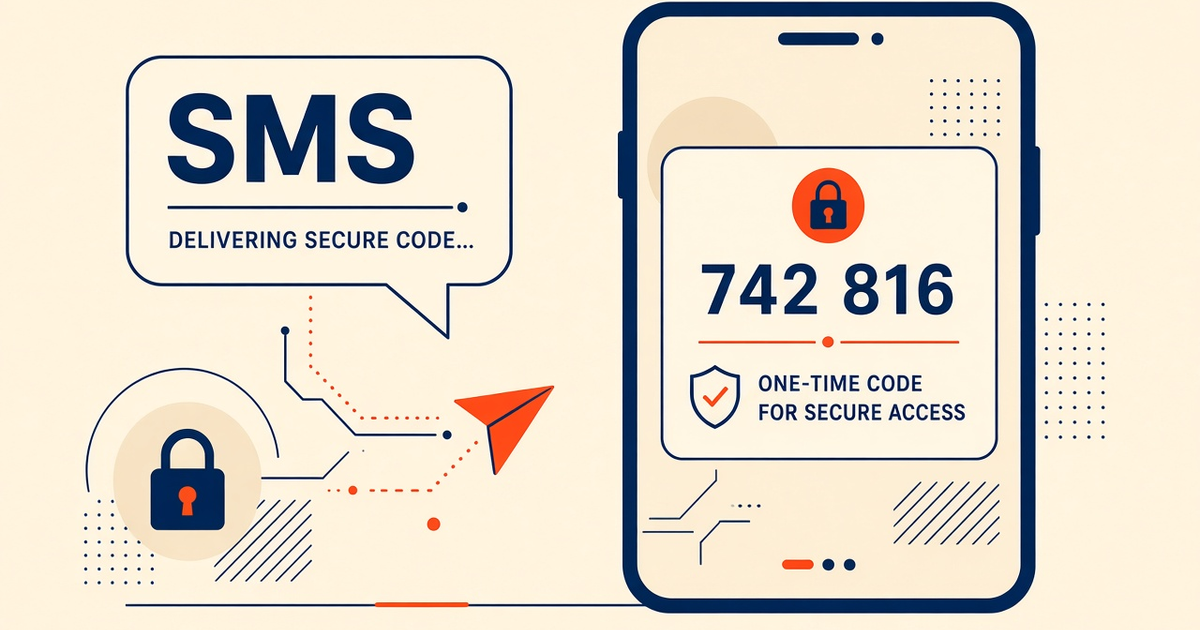
Three clocks. Your server accepted the job. The Android app handed it to the modem. The destination handset (sometimes) acknowledged. DLR is the third clock, when it exists. Designing OTP retry around the first clock is how you double-text people who were merely in a lift.
GSM delivery reports are optional at the network. Some prepaid brands swallow them. Some delay them for minutes. The gateway cannot invent a receipt the SMSC never sent. Android’s SMS APIs document sent vs delivered callbacks at the OS layer — see SmsManager— and operators still sit on top of that.
What each status means
| Status | What happened | What you should do |
|---|---|---|
| Scheduled | Job is waiting for its fire time or a free radio | Do not treat as delivered. Check the phone is online. |
| Sent / submitted | Modem accepted the PDU | Wait for a terminal state or your timeout. |
| Pending / ENROUTE | Carrier still has it (retrying, roaming, handset off) | Wait. Do not mint a second OTP yet. |
| Delivered | Destination acknowledged (when the network reports it) | Count success. Stop retrying that logical message. |
| Failed / undeliverable | Invalid number, barred, rejected | Fix the destination or fall back. Do not tight-loop. |
The product DLR guide spells the same vocabulary for the dashboard: SMS delivery reports (DLR).
Panel, GET, and webhooks
Operators of one device live in the app and the web panel. Production backends should not poll in a tight loop. Register webhooks and verify X-SmsGateway-Signature. Events you care about: message.delivered, message.failed. Lookup for a human in Slack:
curl -X GET "https://app.sms-gateway.app/api/v1/messages/41822" \
  -H "Authorization: Bearer $SMS_GATEWAY_API_KEY"
Contract and event names: SMS API documentation. Signature verification walkthrough: webhooks.
Living with Pending
Pending is the status that generates bad dashboards. A phone in a Faraday-ish warehouse, a destination on airplane mode, an SMSC retrying — all look the same from your admin UI. Write an age: “Pending > 120s on OTP → offer resend.” “Pending > 15m on bulk → page on-call if the rate spikes.” Age is the metric. Count of Pending is a snapshot that always looks scary during a wave.
App receipt vs carrier DLR
Android can tell you the modem sent. The operator can tell you the destination received. Those are different intents on SmsManager. The app maps what it gets into the statuses above. If you build a BI dashboard, label the column “reported delivered,” not “customer saw it.” A full inbox or a blocked sender can still swallow a “delivered” SMS.
OTP: DLR as a timeout clock
Login codes should be short-lived in your database. Pair that expiry with DLR: delivered → user should have it; failed → invite resend; pending past SLO → offer another channel. Isolate OTP devices so a bulk wave cannot push codes behind a 4,000-row queue. See the Hub B OTP spoke if you are still sharing SIMs.
Bulk: DLR as a health metric
For consented campaigns, watch delivered ratio and undeliverable clusters (a bad CSV column of landlines). A sudden drop in DLR on one SIM is often an operator block, not an app bug. Pause that tray. Do not “fix it” by doubling the send rate. Honor STOP on the same number; DLR will not save you from a complaint.
What DLR cannot tell you
It cannot prove a human read the message. It cannot guarantee every operator. It cannot replace consent records. It cannot make Free-tier 300 lifetime SMS into a reporting product for a 50,000-row list. Use it as an engineering signal: radios, SIMs, and destination quality.
Checklist
- Webhooks registered and signatures verified.
- Pending age SLO written for OTP and for bulk.
- No automatic resend on Pending.
- Support uses GET /messages/{id}, not guesswork.
- Dashboards say “reported delivered.”
- OTP isolated from bulk queues.
- Airtime budget includes the retries you still allow.
Next steps
Open DLR, webhooks, and send a three-message canary: one on, one off, one invalid number. Watch the three statuses land before you trust a chart.
Related product pages
Jump to the live product docs for this topic—not another long-form article.
- SMS delivery reports (DLR)Delivery status tracking
- device and SMS volume pricingPlans and allowances
- Android SMS gateway product guideDefinition, product, and how to buy
- SMS API documentationLive endpoint reference