Key Takeaways
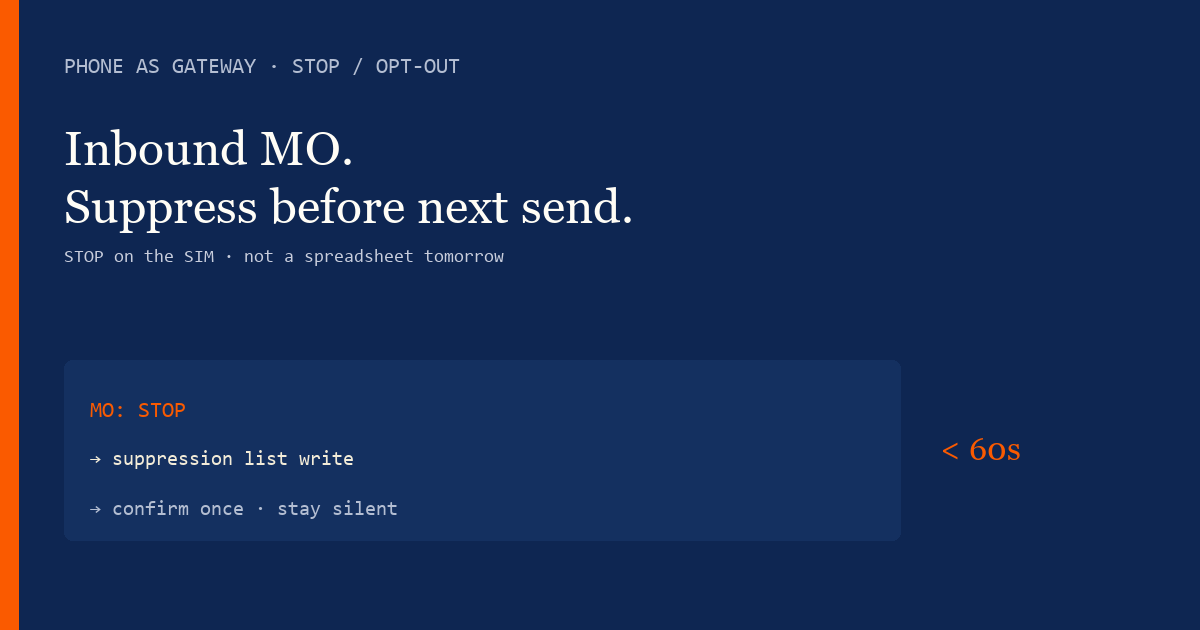
- On an Android SMS gateway, STOP arrives as a normal inbound SMS on your SIM. The app (or your webhook) must set a suppression flag before any later send to that number.
- Honor STOP, STOPALL, UNSUBSCRIBE, CANCEL, END, and QUIT immediately. Send one short confirmation, then stay silent.
- Never wire auto-reply into OTP or password-reset threads. Promotional keywords and authentication codes do not share a device pool or a reply policy.
- A suppression list that lives only in a spreadsheet will leak after the next CSV import. Store the opt-out on the contact, not in a campaign file.
- Service pricing is based on device count and total SMS sent through the gateway. You need a working Android phone with a SIM and SMS credit from your mobile operator. Operator message costs are yours—we do not sell carrier SMS balance. STOP confirmations still burn operator credit.
What STOP means on a SIM gateway
Recipients do not opt out of a cloud brand code. They text STOP to the mobile number on the SIM sitting in your Android gateway. That inbound lands like any other reply. If the phone is online, the app can match the keyword, write an opt-out, and fire a short confirmation from the same number. If the phone is asleep in a drawer, the request waits on the radio until you wake the device.
That is the whole difference versus an aggregator short code: you operate the handset that hears STOP. Battery exemptions, pairing health, and a funded SIM are compliance machinery, not “nice to have ops.”
Honor STOP before you queue the next campaign. A screenshot in a support ticket means you already sent one message too many.
Product surface for keyword replies lives on SMS auto-reply and STOP keywords. Two-way threads that need a human sit in the two-way SMS inbox. This how-to is the operator runbook for the Android app: what to turn on, what never to automate, and how to prove it with a second phone.
Keywords you must honor
US industry messaging principles treat STOP, STOPALL, UNSUBSCRIBE, CANCEL, END, and QUIT as opt-out language. Your market may add local words. Match them case-insensitively and ignore extra punctuation when you can. One confirmation, then silence. HELP should identify the program and remind people how to leave — not open a sales script.
| Inbound | Required action | Confirmation | Later sends |
|---|---|---|---|
| STOP, STOPALL, UNSUBSCRIBE, CANCEL, END, QUIT | Set account-wide opt-out immediately | One GSM-7 segment: brand + “you are opted out” | Block promotional and bulk; keep OTP on a different SIM |
| HELP | Identify the program; point to a human | Name, hours or URL, how to STOP | Does not suppress by itself |
| START / YES / UNSTOP (if you offer re-opt-in) | Only if you documented a re-subscribe path | Confirm they are back on campaigns | Do not invent re-opt-in to rescue a list |
| Free-text complaint | Inbox + human; treat as opt-out if intent is clear | Staff reply, not a keyword loop | Suppress if they asked to be left alone |
Industry wording is summarized in CTIA messaging principles. US consumers also have FCC guidance on unwanted texts. Those pages are not a license to skip counsel in your jurisdiction.
How the Android app records an opt-out
Keep the gateway phone on power, with SMS permission and a path to the control plane (Wi-Fi or mobile data). Inbound SMS is radio work. The control plane only learns about STOP after the app reads the inbox and posts the event. OEM battery savers that freeze the app are opt-out bugs wearing a different hat.
Configure keyword rules in the panel so STOP does not require a developer deploy. Pair that with a webhook on message.received if your CRM is the system of record. Verify X-SmsGateway-Signature so nobody can forge an opt-in. Live payload fields belong in the SMS API documentation, not in a blog mirror.
Name an owner for the suppression list the same way you name an owner for SIM top-ups. When marketing imports a “fresh” Excel file, that owner is who stops a suppressed number from coming back to life.
Suppression before the next send
Recording STOP is half the job. The next POST /api/v1/messages, the next scheduled campaign, and the next CSV upload must skip that MSISDN. If you run several Android devices, the flag is per recipient on the account — not “phone 2 never saw the STOP.”
Contacts and segments belong on contacts, lists, and segments. Build a hard exclude: opted_out = true wins over every “engaged in 30 days” slice. Scheduled sends on scheduled SMS campaigns should re-check the flag at fire time, not only at queue time, because someone may STOP between schedule and send.
OTP threads are not marketing
Login codes, password resets, and shipping alerts that the user just requested are not the place for “Reply STOP to unsubscribe.” Keep authentication on a dedicated SIM. If a customer STOPs the marketing number, their next login code on the OTP number should still arrive. If you only have one phone, you do not have a production OTP path plus a blast list — you have a conflict. Isolate before you scale. See OTP and 2FA SMS on Android.
How to set this up
- Separate promotional SIMs from OTP SIMs. Put campaign traffic on its own Android device and SIM so a STOP rule never touches login codes.
- Enable STOP, STOPALL, UNSUBSCRIBE, CANCEL, END, and QUIT. Match those tokens case-insensitively. Record the opt-out on the contact the moment the inbound lands.
- Write a one-segment confirmation. Identify the brand, confirm they are opted out, and stop. No coupon, no “are you sure?”
- Check the flag on every later send. Panel sends, CSV campaigns, and API calls must all skip suppressed numbers. A fleet-wide flag, not a per-device list.
- Test from a second handset. Text STOP to the gateway SIM, confirm the reply, then attempt a campaign send and prove it is blocked.
- Lock imports against resurrection. CSV and CRM sync must not recreate a contact as opted-in. Opt-out wins over a fresh spreadsheet.
First pairing still follows the device setup guide. Grant SMS and notification access, then send a canary to staff numbers before any customer list.
Test from a second phone
Do not test STOP by texting the gateway from itself. Use a second handset:
- Send a consented canary campaign to the test number.
- Reply STOP from that handset.
- Confirm the one-segment acknowledgement and the panel flag.
- Queue the same campaign again and prove the API/panel refuses or skips the number.
- Reboot the gateway phone, wait for pairing, and repeat STOP once more after an OEM update.
If step 4 still delivers, you have a list bug, not a radio bug. Fix the flag before you import more rows.
CSV imports and stale lists
Bulk from Excel is where opt-outs go to die. A sales export that “updated phone numbers” will resurrect people you already suppressed unless import logic matches on E.164 and refuses to clear opted_out. Prefer bulk SMS from Excel and CSV with a dry-run count of skipped suppressed rows. If the dry-run cannot show that count, do not press send.
Regional expectations
The United States is unforgiving on promotional SMS: consent, identification, and immediate STOP. The EU and UK still expect a lawful basis and an easy out, even when the last mile is a local SIM. South Asia and the Middle East add operator content filters — a STOP confirmation that looks like a promo will fail delivery even when your flag is correct. Country notes on SMS gateway for the United States and the rest of the geo hub are starting points, not a substitute for counsel.
On-call runbook when STOP “does not work”
The ticket is almost never “the keyword engine is broken.” Walk this order before you rewrite rules:
- Is the gateway phone online, charged, and paired? If not, inbound is sitting on the SIM unread.
- Did the inbound actually say STOP (or a local variant), or a paragraph that only includes the word?
- Is the confirmation in the outbox / history? If yes, the flag should exist — check the contact, not the radio.
- Did a later CSV import clear opted_out? Compare timestamps.
- Did a second device in the fleet send after the flag? Then routing ignores suppression.
Write those five checks in the runbook with screenshots of the panel screens your night shift actually has access to. A STOP failure that takes forty minutes to diagnose is a process bug. The Android app cannot compensate for a missing owner.
Airtime and plan cost
Service pricing is based on device count and total SMS sent through the gateway. You need a working Android phone with a SIM and SMS credit from your mobile operator. Operator message costs are yours—we do not sell carrier SMS balance. The confirmation SMS is a real operator message. Budget it. Retries of a failed confirmation also burn credit. Paid plans start at $19/month for the control plane; Free is 300 SMS lifetime for wiring this path, not a campaign budget. Compare tiers on device and SMS volume pricing.
Mistakes that get you blocked
- Auto-replying STOP with a coupon or a “was this a mistake?” double confirm.
- Honoring STOP on one device while another device in the fleet keeps blasting.
- Re-importing a CRM dump that silently sets everyone back to opted-in.
- Putting STOP footers on OTP templates “just to be safe.”
- Leaving the gateway on a personal phone that Doze kills overnight.
- Logging full inbound bodies (including STOP plus a complaint) into a public Slack channel.
Next steps
Return to the Android SMS gateway app guide, wire keyword rules on auto-reply and STOP, and keep the fleet honest with device setup. When the inbound event must hit your CRM, start from SMS webhook integration.
Related product pages
Jump to the live product docs for this topic—not another long-form article.
- two-way SMS inboxReplies on your SIM
- SMS auto-reply and STOP keywordsOpt-out and keywords
- SMS API documentationLive endpoint reference
- device and SMS volume pricingPlans and allowances