Key Takeaways
- Keep login OTP in one GSM-7 segment whenever you can. Concatenated parts fail independently and cost extra airtime.
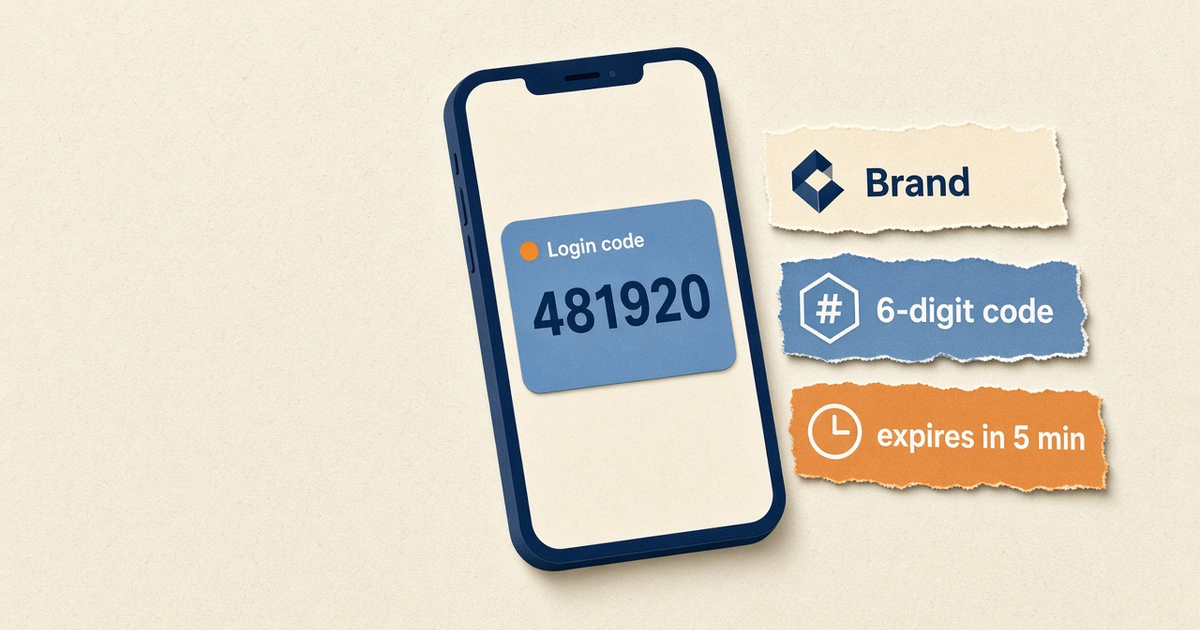
- A working template is brand + digits + expiry. Marketing copy, URLs, and emoji belong somewhere else.
- If you use Android SMS Retriever, reserve eleven characters for the app hash and test on a real handset, not an emulator.
- Run OTP on a dedicated SIM pool. Campaign traffic on the same radio will starve codes when the OEM rate ceiling hits.
- You bring the phone and operator SMS credit. Gateway pricing is devices plus send volume; Free is 300 SMS lifetime for tests.
Teams search for android sms gateway app how to design otp templates after the first test code lands and the second one looks like junk: two SMS parts, a truncated brand, or an auto-read that never fires. The Android app is where operators type (or paste) that body. The radio, not your backend copy deck, decides whether the recipient sees it as one clean message.
This how-to stays on template design for hub D — the phone app path — and links out for API fields. You still bring the Android handset and operator SMS credit. Gateway billing is devices plus send volume, not a rented cloud number.
Live preview · GSM-7
Acme: your login code is
It expires in 5 minutes. Do not share it.
84 / 160 characters. One radio burst. Auto-read still has room for an 11-character hash.
Why OTP wording is a deliverability problem
Carriers and handset spam engines score the body, not your intent. A login code dressed as a sale — “Verify now and claim 50% off” — trains filters to treat your SIM like a bulk sender. On an Android gateway that matters twice: the same MSISDN is what customers reply to, and a filtered OTP looks like an outage in your auth logs.
The Android SMS gateway overview covers the radio path. Here the job is narrower: write a body the modem can send in one shot, that a human trusts in under a second, and that your app can parse if you use SMS Retriever.
If the code is not the loudest thing in the message, the template is wrong. Everything else is decoration the radio will charge you for.
Anatomy of a one-segment OTP
A production template has four parts. Drop any one of them and support tickets follow; add a fifth and you start concatenating.
- Brand or product name — so the SMS does not look like a random six-digit text from an unknown SIM.
- The code — digits only unless a regulator forces alphanumeric. Spaces between triplets help humans and still count as characters.
- Expiry — “expires in 5 minutes” beats “valid for a limited time.”
- A no-share line — short. You are warning against social engineering, not writing a privacy policy.
Optional fifth part: the Android app-hash for SMS Retriever. Treat it as reserved budget, not as marketing real estate. Google’s SMS Retriever overview is the contract for auto-read; the gateway just delivers whatever body you queued.
Character budget table
Operators still bill by segments. An Android gateway does not invent a free extra part. Use this table when someone asks to “just add the Play Store link.”
| Encoding | Single SMS | Each concatenated part | What usually triggers it |
|---|---|---|---|
| GSM-7 (default Latin) | 160 characters | 153 | Plain English/ASCII OTP |
| UCS-2 (Unicode) | 70 characters | 67 | Emoji, many Indic scripts, smart quotes |
| GSM-7 + Retriever hash | Plan for ≤149 useful chars | Avoid concat | 11-char app hash plus spaces |
| Free-plan demo footer | Subtract 19+ chars | Easy to spill into part 2 | Test sends may append www.sms-gateway.app |
Count the rendered body, not the template source. Tokens like {code} expand. A 12-character brand token plus a 6-digit code is not the same length as the placeholder.
Android auto-read (SMS Retriever)
If the login screen is an Android app, SMS Retriever can copy the code without the SMS permission. The message must include your 11-character app hash. The hash is computed from the signing cert; a debug build and a Play App Signing build are not interchangeable. Test the template on a device signed the way production is signed.
SMS User Consent API is the fallback when you cannot embed the hash. It shows a system prompt. Either way, the gateway app is only the sender. Auto-read lives in the recipient app. Do not expect the gateway APK to parse OTP for you.
Building the template in the Android app
In the SMS Gateway Android app, templates are reusable bodies with substitution. Keep variable names boring: code, brand, minutes. Clever names tempt people to stuff first names and order IDs into authentication SMS. Those belong in transactional receipts, not login.
Canary the template to staff SIMs first. Watch three things in the panel: accepted vs failed submit, whether DLR reaches Delivered, and whether the body on the destination handset matches what you typed (some OEM SMS apps fold whitespace). Then point your backend at the same wording. The Android SMS Gateway API article covers send + DLR; live JSON stays in the Developer Center.
Two-way is not required for OTP. If a user replies “STOP” to a login code, record the opt-out for marketing lists, but do not disable authentication on that number without a human policy. See auto-reply and STOP for the keyword path.
Expiry, retries, and duplicate codes
Put the lifetime in the SMS so the user and your server agree. Five minutes is a common default. If the user taps “resend,” issue a new code and invalidate the old one. Re-sending the same digits after a radio delay is how attackers harvest a still-valid OTP from a delayed first SMS.
Retries burn operator credit. Budget them. A flaky SIM that needs three submits per login will blow a volume allowance even when unique users look small. Isolate OTP devices so a bulk campaign cannot queue-starve codes. Spare charged handsets beat a brochure SLA — keep one on the same template, different SIM, ready to take deviceIds when the primary radio drops.
Words and links that get filtered
Avoid prize language, urgency slang that sounds like phishing (“your account will be closed in 10 minutes unless…”), and shorteners. Do not paste tracking URLs. Credit-card or “password is” phrasing also scores badly; say “login code” or “verification code.”
The companion how-to on avoiding spammy wording is the wording pass for campaigns. OTP should already be the boring end of that spectrum.
Language, DLT, and registration
Switching the body to Bengali, Hindi, or Arabic often flips encoding to UCS-2. Recalculate the budget. A beautiful localized sentence that splits into three parts will cost more airtime and arrive out of order on some networks.
In markets with template registration (India DLT is the usual example), the body you type in the Android app must match the registered pattern. Variable slots are not a license to insert marketing. If the registered template is English, do not “just translate” on the phone without a matching registration.
For country-level consent and bulk rules, start from the matching geo page such as SMS gateway for India rather than inventing a second policy here.
Device pool and airtime math
Template quality does not replace radio capacity. Size devices for peak OTP, not monthly averages. One handset is bounded by OEM SMS rate ceilings and carrier fair-use. Raising those ceilings (where the OEM allows it) does not make operator airtime free.
Gateway plans meter devices and send volume. Free is 300 SMS lifetime — enough to prove a template, not to run production login. Developer is 25,000 SMS per year on one device. Starter, Professional, and Business uncap platform send volume (still 2 / 5 / 15 devices) while you keep paying the carrier. Sends pause on Free and Developer when the allowance is exhausted; there is no silent $0.0x overage.
Ship checklist
- Body fits one GSM-7 segment on the worst brand name you actually use.
- Code is 6 digits, expiry is explicit, no URL, no emoji.
- Retriever hash tested on a production-signed build if auto-read is in scope.
- Staff canary on the same operator as customers, not only on Wi-Fi test numbers.
- OTP SIMs isolated from bulk; spare charged device documented in the runbook.
- Retries invalidate previous codes; airtime includes those retries in the budget.
Next steps
Pair the phone, paste the one-segment body, send five staff OTPs, and read the destination thread with your own eyes. Then wire the same string from your auth service. When you need the HTTP contract, use the API guide. When you need hardware setup, use the device setup guide and download the Android gateway app.
You supply the Android phone and operator SMS credit. The template is just the payload that radio will be judged on.
Related product pages
Jump to the live product docs for this topic—not another long-form article.
- OTP and 2FA SMS on AndroidAuthentication flows
- SMS API documentationLive endpoint reference
- device and SMS volume pricingPlans and allowances
- Android SMS gateway product guideDefinition, product, and how to buy