
Key Takeaways
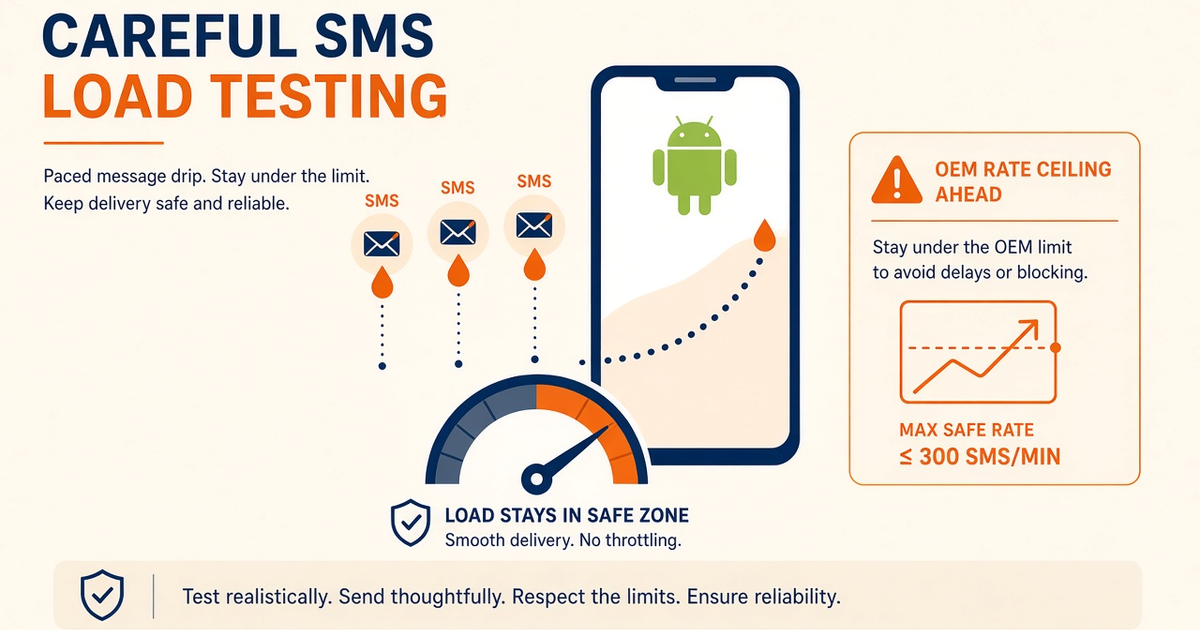
- Load-test the gateway the way the radio works: ramp SMS per minute, never dump a thousand jobs in one second.
- Measure accepted vs delivered vs Pending age. HTTP 200 is not a DLR.
- OEM SMS rate ceilings and carrier fair-use cap a single Android SIM long before the API does.
- Keep OTP off the test device pool. Retries still burn operator airtime.
- Stop the test when error rate, battery, or queue depth leave the envelope you wrote down.
- Platform volume on paid plans is not carrier airtime. You still pay the operator for every send and retry.
Summary
Load-testing an Android SMS gateway app is not the same job as hammering a REST endpoint. Your backend can enqueue thousands of HTTPS jobs. The last mile is still one radio, one SIM, and whatever SMS rate ceiling the OEM and the operator left standing. A careful test ramps messages per minute, watches delivery reports, and stops when Pending age, battery, or error rate leave the envelope you wrote down first.
This how-to is for teams running the official app on a real handset. Service pricing is devices plus SMS send volume. You bring the phone and the operator SMS credit. Free is 300 SMS lifetime; Developer is 25,000 SMS per year. Paid Starter, Professional, and Business uncap platform send volume but still meter devices. None of that is unmetered carrier airtime.
If the test would get a dedicated SIM barred by the operator, it is not a load test. It is an outage rehearsal you did not mean to book.
Why a ramp, not a blast
Search results for SMS load testing are full of aggregator recipes: spin up 50 workers, fire at a cloud number pool, graph HTTP latency. That model assumes the vendor owns the SMSC path. On an Android SIM gateway the SMSC path is yours. Xiaomi, Samsung, and stock Android all throttle how fast an app may call SmsManager. Carriers add fair-use on top. A blast that looks “successful” in your API logs can still sit in Pending on the phone, or land as silent operator blocks two hours later.
Start from the Android SMS Gateway App cornerstone so this spoke stays on method, not product theatre. Confirm live request fields in the SMS API documentation. Android’s own SMS rate-limit discussion lives in Android SMS developer guidance— raise OEM ceilings where the manufacturer allows it; do not pretend operator and consent limits disappear.
What you are actually stressing
A useful load test names three layers before anyone opens a terminal. Layer one is your client: timeouts, idempotency keys, retry storms. Layer two is the control plane queue and the paired app. Layer three is the radio: signal, dual-SIM slot choice, OEM background restrictions, and the operator’s SMSC. Most “the API is slow” tickets are layer three wearing layer one clothes.
Write the hypothesis in one sentence. Example: “This SIM can sustain 40 SMS/min to mixed domestic destinations with DLR within 90 seconds and Pending age under two minutes.” If you cannot write that sentence, you are not ready to spend airtime.
Keep marketing lists off the test pool. Isolate OTP the way you would in production. A load test that starves login codes teaches the wrong lesson and burns the wrong budget.
A careful load-test plan
Use a dedicated test phone, a funded prepaid or postpaid SIM you can afford to empty, and staff destinations you control. Pair the app, confirm last-seen, send ten canaries, then raise the rate on a timer — not on a feeling.
- Record baseline: battery percent, charging state, last-seen, empty queue, one successful DLR.
- Hold 10 SMS/min for five minutes. Watch accepted vs delivered vs failed.
- Step to 20, then 35, then 50 only if DLR lag and error rate stay inside the envelope.
- Hold the highest good rate for 15 minutes. This is the number you publish internally, not the peak of a 30-second spike.
- Back off. Confirm the queue drains. Note OEM warnings, heat, and any carrier bounce codes.
Do not parallelize across the same SIM from two workers. Two clients fighting one radio will invent duplicates and hide the real ceiling. If you need more throughput, add devices on a plan that meters device count — see device and SMS volume pricing and multi-device and dual SIM routing.
Stage table
| Stage | Rate | What you are proving | Stop if |
|---|---|---|---|
| Canary | 10 SMS, mixed dest | Pairing, SIM, DLR path | Any accept error or silent Pending |
| Warm | 10 / min × 5 min | Steady radio, no OEM sleep | Battery drop without charge, last-seen gaps |
| Step | +10–15 / min | Where the OEM ceiling appears | Error rate > 2% or DLR p95 > 2 min |
| Hold | Highest good rate × 15 min | Sustainable ops number | Queue growth that will not drain |
| Back off | Return to canary | Recovery, no stuck jobs | Jobs still Pending after 10 min idle |
Those numbers are a starting envelope for a healthy domestic SIM, not a promise. A dual-SIM phone with a weak slot, a roaming SIM, or a brand-new prepaid pack will fail earlier. Measure on the hardware you will actually run overnight.
Cost and airtime burn
Failed retries still spend operator credit. If your client retries every ambiguous timeout, the load test will bill you twice for the same intent. Idempotency on the send path is part of the test design, not a later polish item.
Model three lines on a spreadsheet: gateway service fee (devices + platform volume), operator SMS cost for the test window including retries, and engineer time. Teams that only watch the first line are surprised when prepaid dies mid-hold.
Do not run a “max the SIM” experiment on the Free 300 lifetime allowance and call it capacity planning. That allowance is for proving the path, not for a soak.
Watch the radio, not just HTTP
Daily checks during a multi-hour soak: pairing health, charging, queue depth, DLR anomalies, device temperature. After an OEM system update, throw away last week’s hold number and re-run the warm stage. Vendor battery savers change the story overnight — see the companion spoke on background restrictions by OEM.
Name an owner before unattended soaks. A phone that unplugs itself at 2 a.m. is an ops incident, not a mystery API regression. Keep a spare charged device paired but idle so you can fail over without inventing a procedure under heat.
Safety rails
Never point a load test at customer numbers. Never paste API keys into the ticket that tracks the test. Redact OTP bodies if any authentication messages leak into the same log stream. If webhooks are in the loop, verify signatures — a load test that forges or skips verification teaches your backend a bad habit.
STOP and consent still apply if any destination is a real user. Staff numbers with written permission are the default.
When to stop the test
Stop when you have a published sustain number, or when the envelope breaks. Delay production promises if you cannot explain offline-phone behavior during the hold. If the business cannot staff phone ops at all, a CPaaS aggregator is the honest lane for that traffic — compare on Twilio vs Android SMS gateway, not on a single blast that “felt fast.”
Checklist
- Hypothesis written as SMS/min + DLR bound + Pending age.
- Dedicated test SIM and staff destinations only.
- OTP isolated from the soak pool.
- Canary of 10 mixed sends with DLR before any ramp.
- Idempotency on client retries.
- Airtime budget includes retries and failed loops.
- OEM battery exemptions confirmed for the soak window.
- Stop conditions written before the first step-up.
- Spare charged device named and paired.
- On-call owner for unattended soaks.
Next steps
Return to the app guide, pair from the device setup guide, and confirm APIs in SMS API documentation. If the soak exposed OEM sleep, jump to app troubleshooting. Pricing remains devices plus send volume on the pricing page.
Deep dive: production hardening
Publish the hold number in the runbook as “sustain,” not “burst.” Burst is what the radio did for 40 seconds before OEM throttled you. On-call should page on Pending age and last-seen, not on HTTP p99 of the enqueue call.
After every APK or OEM update, re-run warm + one step. Do not inherit last quarter’s 50/min as folklore. Dual-SIM phones need the slot recorded in the same runbook row as the rate.
Feature flags help you ramp production traffic the same way you ramped the test. A big-bang cutover of OTP onto an unsoaked SIM is how teams learn DLR lag from paying customers.
Heat and charge matter. A soak on USB while the battery still drops is a thermal or OEM restriction problem. Fix power before you buy another device.
Log message ids, not bodies. Support will ask why a canary “failed” when it was delivered to a staff handset on silent.
Deep dive: scaling and failure modes
Throughput scales with device count, not with a louder client. One SIM is bounded. Two SIMs on one phone are still one chassis: heat, USB, and OEM policy are shared. Real scale is more handsets on a plan that allows them, plus routing that skips a device whose last-seen is stale.
Typical failure modes during a careless test: retry amplification, webhook floods that look like DLR storms, prepaid empty mid-hold, Doze killing the worker at minute 20, carrier anti-spam after a tight burst to sequential numbers. Sequential numbering is a spam fingerprint. Shuffle destinations.
If you need multi-country coverage, do not load-test roaming as if it were domestic. Roaming SMSC behavior is a different experiment with a smaller envelope.
Never claim the platform has “no artificial limits.” Free and Developer cap SMS. Starter and above uncap platform volume and still meter devices. Carrier fair-use always applies.
Deep dive: integration discipline
Wire the soak through the same send function production uses. A special load-test client that skips idempotency, signature checks, or device routing will pass and then fail on cutover.
Persist gateway message ids next to your domain objects on accept. Graph DLR by those ids. If your only chart is “jobs POSTed,” you are load-testing your laptop.
Confirm field names in Developer Center the week you run the soak. Blog patterns here stay conceptual so they do not drift from the live reference.
How-to spokes still bill by devices and SMS send volume. You bring the Android phone and operator SMS credit.
Related product pages
Jump to the live product docs for this topic—not another long-form article.
- SMS API documentationLive endpoint reference
- device and SMS volume pricingPlans and allowances
- Android SMS gateway product guideDefinition, product, and how to buy
- download the Android gateway appGet the APK


