MCP Server for Android SMS Gateway: Securing SMS MCP tools — setup walkthrough

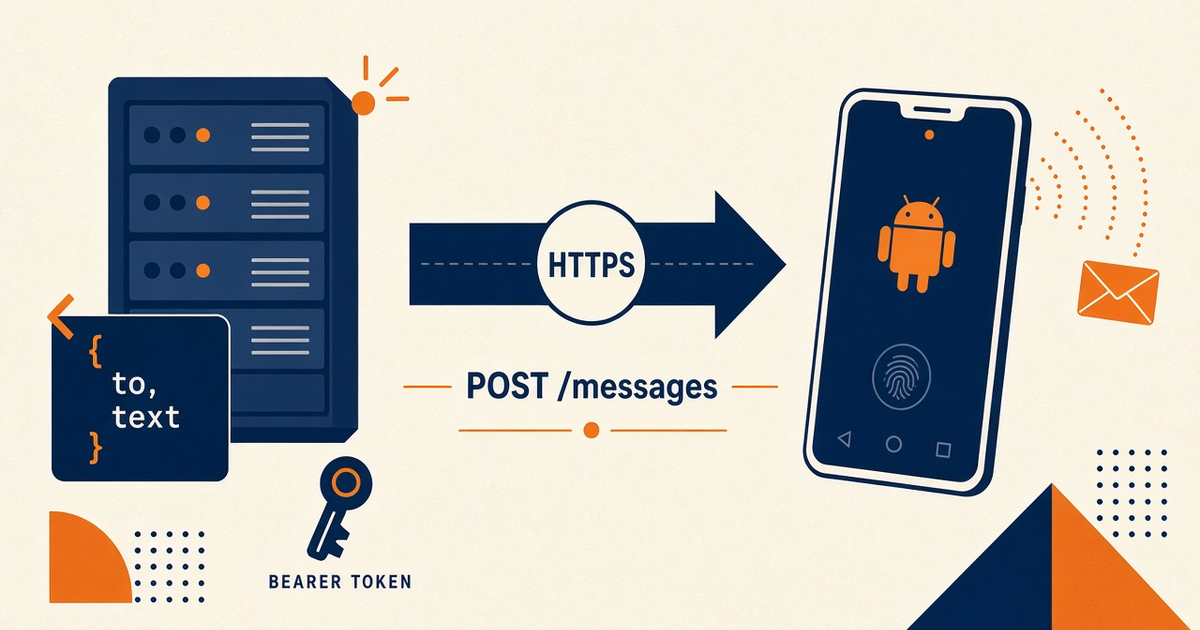
Featured illustration for MCP Server for Android SMS Gateway: Securing SMS MCP tools — setup walkthrough

MCP Server for Android SMS Gateway: Securing SMS MCP tools — setup walkthrough. MCP education post: securing SMS MCP tools (setup walkthrough). Explain tools as interface over the same Android SMS gateway API. No MCP server implementation code required in Phase 1. Priced by devices and SMS send volume; BYO phone and operator credit. Developer Center owns live API parameters.

Written by the SMS Gateway team for operators who run phones and airtime themselves — not for theoretical cloud SMS demos.

InformationAndroid SMS GatewayMCPDevelopers
Article
Published
March 23, 2025
Updated
April 25, 2025
Reading time
16 minute read

Key Takeaways

  • Securing SMS MCP tools is a walkthrough: least privilege, env Bearer, allowlists — not a first-party Cursor/Claude plugin with magic auth.
  • Do not expose campaign-blast or arbitrary to[] on a developer laptop.
  • Confirm the REST contract in Developer Center. The wrapper only forwards what you designed.
  • Rotate keys. Log tool invocations without SMS bodies. HMAC webhooks stay on your backend.
  • You bring the phone and operator credit. Platform pricing is devices plus send volume.

Narrow tools, staging keys

Concepts: MCP for SMS. Auth: MCP auth and API keys. Spec: MCP. Live JSON: Developer Center.

Adjacent: logging and audit. We meter devices and volume.

What not to expose

Skip send_campaign, open to[], USSD, and webhook-secret rotation on Desktop/Cursor. Keep those on a backend that is not a chat host.

“A send tool with no allowlist is a prepaid SIM with a conversational UI. That is not a security review finding you want.”

Hardening checklist

Securing SMS MCP tools vs first check
ControlMissDo
Env BearerKey in mcp.json / chatProcess env only
AllowlistAny E.164Staff/QA prefixes
Rate capAgent loopN/min in the wrapper
Idempotency-KeyDuplicate radioStable per intent
Named deviceIdPromo SIMPairing

Allowlist destinations

Tool design: send_sms tool design. OTP: OTP.

Laptop trust boundary

Cursor: Cursor setup. Claude Desktop: Claude Desktop. Pricing.

Next steps

Ship list-devices first. Then allowlisted send. Rotate if a key ever hit a transcript. Operator credit stays yours.

Jump to the live product docs for this topic—not another long-form article.

FAQ

Frequently asked questions

Direct answers about mcp for sms.

Can I lock tools with a prompt rule instead of code?

Prompts are not a control. Encode allowlists and rate caps in the wrapper. The model will ignore a polite system message under pressure.

Should production keys live in Cursor MCP config?

No. Staging only. See the auth walkthrough.

Does locking tools include extra airtime?

It prevents wasted sends. Free is 300 SMS lifetime. Starter, Professional, and Business list Unlimited SMS as platform send volume; that is not unmetered carrier SMS.
Keep learning

Topically related guides—chosen by subject overlap, not a fixed sitewide footer.

Practical
android sms gateway server checklist

API production readiness Checklist for Gateway Server

API production readiness Checklist for Gateway Server. Printable-style API production readiness checklist mapped to android sms gateway server. Each item includes why it matters and a verification step. Priced by devices and SMS send volume; BYO phone and operator credit.

Mar 7, 202616 min
Read article
Information
android sms gateway server how to incident response for outage

Gateway Server: How to incident response for outage

Gateway Server: How to incident response for outage. Actionable guide on how to incident response for outage in context of android sms gateway server. Include prerequisites, steps, limits, and internal links. Priced by devices and SMS send volume; BYO phone and operator credit.

Oct 24, 202416 min
Read article

Browse the full Android SMS gateway knowledge base or return to how an Android SMS gateway works.

Get started

Test the gateway on your own Android phone

Install the app, pair one device, and validate your API flow before choosing a paid plan.

You supply the phone, SIM, and operator SMS credit.