Key Takeaways
- Parse DLR in Kotlin with kotlinx.serialization or Moshi against Developer Center fields — not a branded Kotlin SDK.
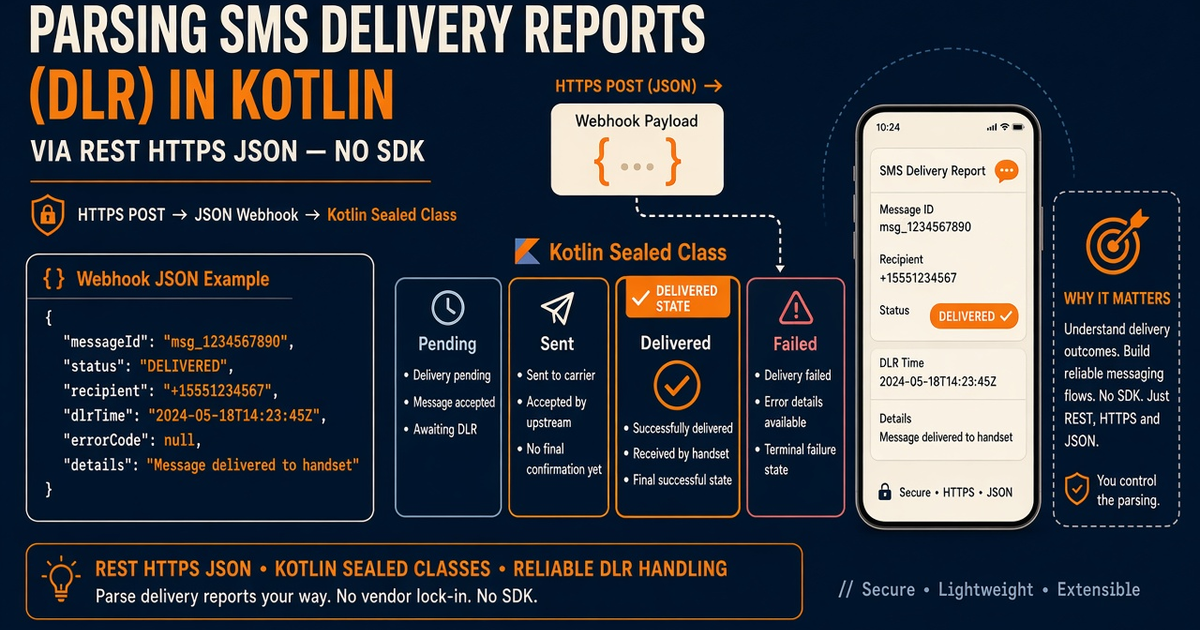
- Map vendor strings to a sealed class you own. Never overwrite Delivered with a late Pending.
- Webhooks are at-least-once. Idempotent upserts on message id. Constant-time signature compare.
- HTTP 200 on send is accepted. DLR is the radio. Keep OTP codes out of logs.
- You bring the Android and operator credit. Platform pricing is devices plus send volume.
android sms gateway api DLR from Kotlin is a webhook (or poll) plus a mapper. Hub: API guide, DLR, webhooks. Live fields: Developer Center. Go sibling: Go OTP.
You bring the phone and airtime. Devices and send volume. REST samples are HTTPS/JSON — not a Kotlin SDK, NuGet, or Composer package.
sealed class · monotonic
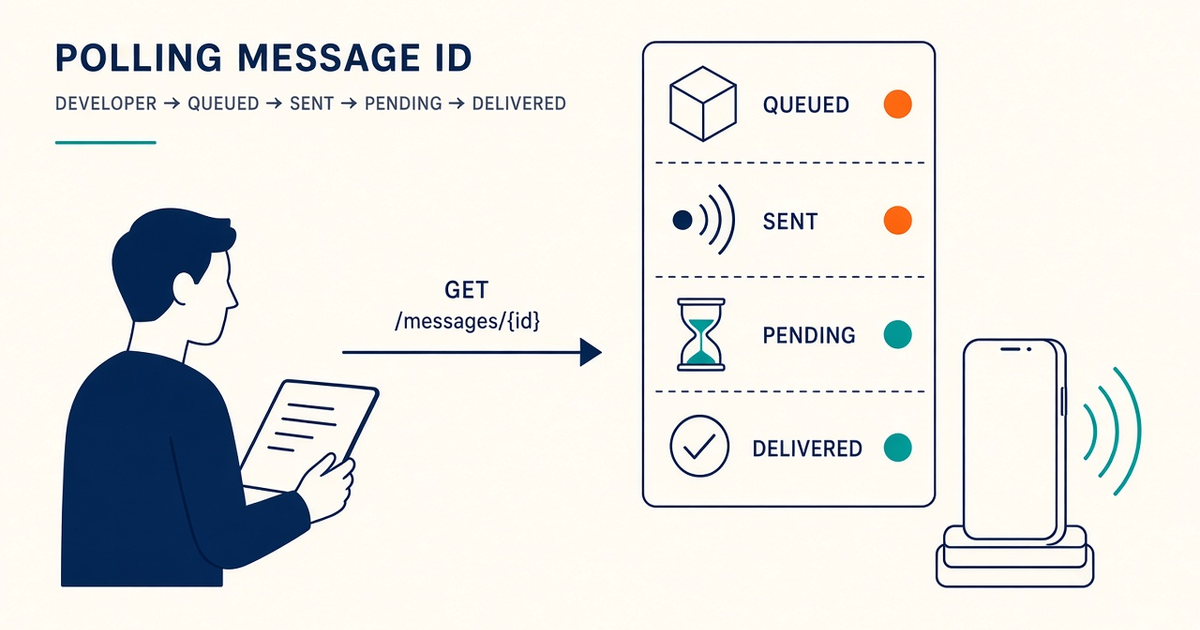
PendingSentDeliveredFailed
A late Pending must not un-deliver a login code.
HTTPS JSON, not a Kotlin SDK
Conceptual decode only — copy live keys from Developer Center:
sealed class DlrState {
  data object Pending : DlrState()
  data object Delivered : DlrState()
  data object Failed : DlrState()
}
fun DlrState.canReplace(next: DlrState) = this !is DlrState.Delivered
Keys stay in env on the server. Env. Curl send canary: curl.
If you log the OTP body next to the DLR row, you already lost. Persist ids and states, not the code.
State table
| Event | Means | Kotlin job | Do not |
|---|---|---|---|
| HTTP send 2xx | Accepted | Store gateway id | Tell the user “delivered” |
| Pending / Sent | Radio still working | Age the row | Overwrite Delivered |
| Delivered | Terminal success | Sticky write | Re-send OTP |
| Failed | Terminal fail | Controlled resend | Retry storm |
Own the enum
Vendor strings change. Your sealed class does not. Transactional SMS. OTP: OTP.
Delivered is sticky
Events reorder. Encode precedence in one function used by webhook and poll. DLR practices. Queue: backlog.
Verify the raw body
MAC over bytes, then parse. At-least-once means unique constraints. Messaging practices. Device health: health.
Next steps
Fixture three payloads: pending, delivered, late pending. Spend 300 lifetime SMS proving the mapper — then a funded SIM. Pair the APK from Downloads.
Related product pages
Jump to the live product docs for this topic—not another long-form article.
- SMS delivery reports (DLR)Delivery status tracking
- SMS API documentationLive endpoint reference
- device and SMS volume pricingPlans and allowances
- Android SMS gateway product guideDefinition, product, and how to buy